
-
- Products
- Indoor Household Cords
- Appliance Cords
- General Purpose Short-Length Cords
- General Purpose Extension Cords
- Landscape & Decorating Cords
- Bright Color Extension Cords
- Oil-Resistant Extension Cords
- Cold-Flex Extension Cords
- VividFlex Power Cords
- EXTREME All-Weather Cords
- Cord Management
- Task Lights
- Adapters & GFCI Devices
- Where to Buy
- About
- Careers
- Glossary
- Catalog


How to Choose a Mechanical Gaming Keyboard in 2026
Choosing a Mechanical Gaming Keyboard in 2026 means balancing feel, speed, comfort, and price—not chasing the longest feature list. A board that feels crisp during a quick match may become tiring during a long work session. Start with the basics: switch type, layout, keycap shape, and case size. Linear switches move smoothly, while tactile switches offer a noticeable bump; neither is automatically better. If possible, try both before buying. Feel the difference. Also check whether the keyboard includes a number pad, dedicated media controls, or enough desk space for broad mouse movements. Small details matter.
Performance claims deserve a closer look. High polling rates and adjustable actuation can help some players, but they cannot replace steady practice or comfortable positioning. Check independent testing, warranty terms, and software support rather than relying on a product page alone. Hot-swappable switches can make repairs or experiments easier, though compatibility varies by socket and switch. Wireless models add flexibility, but battery life and connection options should match your routine. No choice is perfect. I would also leave room for changing preferences: the switch you love in a five-minute demo may feel different after an evening of play. This guide explains how to compare the details that shape everyday use, so you can choose a keyboard that fits your games, hands, and budget—not just a trend.
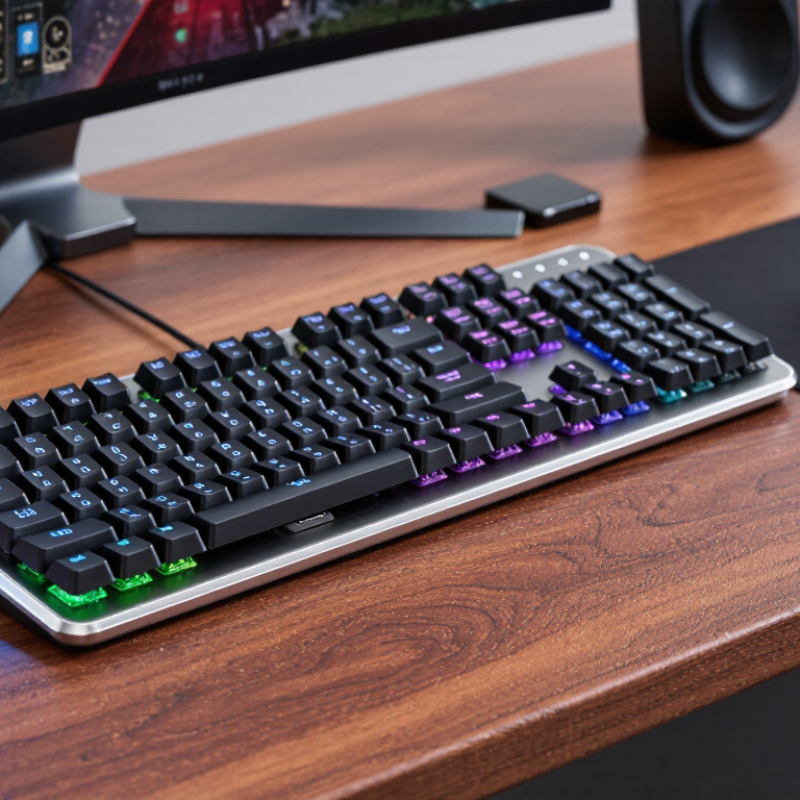
Table of Contents [Hide]
Define Your Games, Budget, and Keyboard Layout Before Comparing Models
Before comparing keyboards, name the games you actually play. Fast shooters may benefit from a compact layout and switches that feel light under quick taps. Strategy games often make a number pad useful. Long role-playing sessions can put comfort ahead of flashy lighting. Be specific: picture your hands during a late match, not an idealized setup. There is no perfect switch for every player.
Set a firm budget, including any wrist rest or replacement keycaps you may want. A higher price does not guarantee a better fit. Decide whether you prefer a quiet, soft press or a more pronounced click, and check whether the keyboard’s noise suits your room. If possible, try similar switches in person. Online descriptions can make small differences sound enormous. They are not always.
Measure your desk before choosing a layout. A full-size board preserves the number pad, while a tenkeyless model frees space for wider mouse movement. Smaller layouts save even more room, but some function keys may require shortcuts. That trade can feel clever at first, then annoying during everyday use. Check which keys you rely on. Compare models only after games, spending limit, and desk space are clear; otherwise, attractive features can distract from what your hands need.