| Video Resolution and Refresh Rate | Confirm the maximum supported resolution, refresh rate, color format, and bit depth. | Recommended
4K at 60 Hz with 4:4:4 chroma and 8-bit color typically requires an HDMI 2.0-class 18 Gbps signal path. | Choose a system that supports the highest format required by the source and display. A system limited to 4K at 30 Hz may be unsuitable for interactive content, digital signage animation, or desktop use. |
| HDMI Compatibility | Check HDMI version compatibility, EDID handling, and support for common source and display formats. | HDMI 1.4-class equipment commonly supports 4K at 24 or 30 Hz, while HDMI 2.0-class equipment can support 4K at 60 Hz with up to 18 Gbps bandwidth. | Verify the complete signal chain, including transmitters, receivers, switches, cables, and displays. The lowest-capability component can limit the final format. |
| Extension Distance | Review the supported distance over the selected network infrastructure. | Standard copper Ethernet links are normally limited to 100 m per segment. Longer distances require additional network equipment or a fiber-based infrastructure. | For campuses, large venues, and multi-floor installations, consider fiber uplinks or a properly designed switching topology instead of relying only on long copper runs. |
| Network Bandwidth | Determine whether the system uses compressed, visually lossless, or uncompressed video transport. | Many systems use 1 GbE for compressed 4K distribution, while uncompressed or higher-throughput architectures may require 10 GbE or more, depending on the codec and number of streams. | Calculate aggregate bandwidth for all active video streams, multicast traffic, control data, and network overhead. Do not size the network from a single stream alone. |
| Latency | Check end-to-end delay from the HDMI source to the display. | Low-latency systems are generally preferred for live presentations, camera monitoring, control rooms, and interactive applications. Actual latency depends on encoding, decoding, switching, and display processing. | Request measured latency under the intended resolution and network load. A system specification should identify whether the stated value is glass-to-glass or transport-only latency. |
| Video Compression | Identify the codec, compression ratio, image quality, and behavior during network congestion. | Compression reduces network bandwidth but may introduce artifacts or latency. Visually lossless modes generally require more bandwidth than highly compressed modes. | Use low-compression or visually lossless transport for detailed computer graphics, medical images, CAD, and text. Higher compression may be acceptable for general video distribution. |
| Scaling Capability | Check whether scaling is available at the transmitter, receiver, or both ends. | Useful scaling functions include independent output resolution, aspect-ratio control, crop and zoom, and support for mixed display formats. | Choose receiver-side scaling when different displays must show the same source at their native resolutions. Confirm that scaling does not reduce the required refresh rate or color format. |
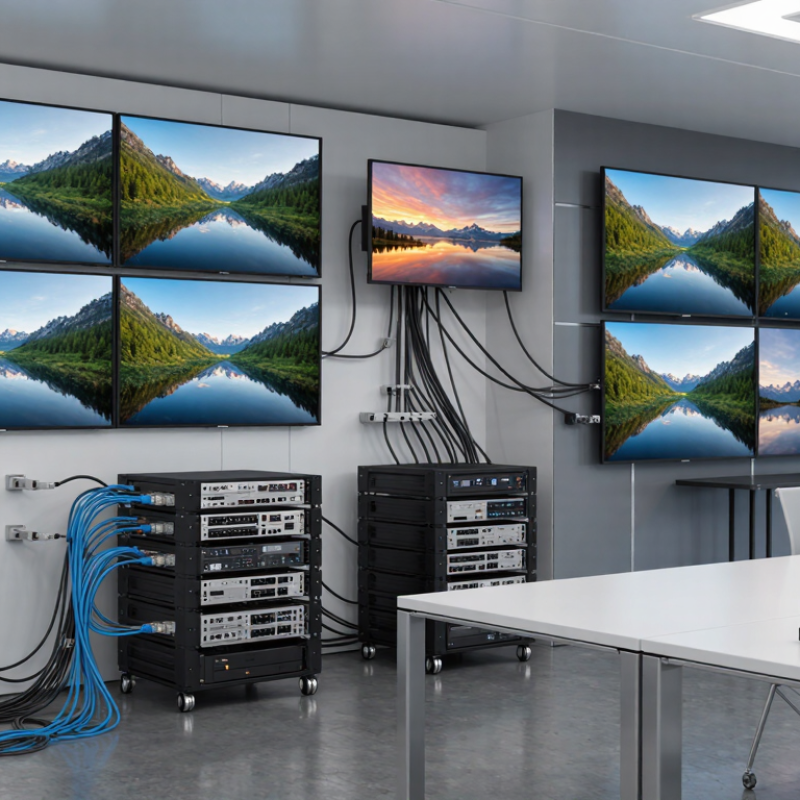
| Video Wall Support | Review the maximum wall size, bezel compensation, image rotation, layout control, and synchronization method. | Common video-wall functions include 2×2, 3×3, and larger layouts, with the actual limit determined by the platform and receiver count. | For large video walls, verify frame synchronization and bezel compensation. These features help prevent visible tearing, misalignment, and uneven image spacing. |
| Audio Transport | Check embedded HDMI audio, de-embedding, pass-through, and supported audio formats. | Basic systems commonly pass through stereo or multichannel HDMI audio. Advanced installations may require separate analog, digital, balanced, or network audio outputs. | Confirm whether audio can be routed independently from video. This is important when one source must feed multiple zones, amplifiers, or conferencing systems. |
| HDCP and Content Protection | Verify the supported HDCP version and the behavior of the complete source-to-display chain. | HDCP 2.2 is commonly required for protected 4K content, while older HDCP versions may not support newer protected sources. | Ensure that every relevant device supports the required HDCP version. A mismatch can cause a blank screen, intermittent video, or forced downscaling. |
| Network Switching Requirements | Check multicast support, IGMP snooping, VLAN configuration, Quality of Service, and uplink capacity. | Multicast-based systems commonly require managed switches with IGMP snooping and an appropriately configured querier. Unmanaged switches are often unsuitable for multi-stream deployments. | Use separate or logically isolated VLANs for AV traffic where appropriate. Test multicast behavior, failover, and congestion before commissioning the system. |
| Control and Routing | Review source selection, display control, presets, scheduling, and third-party control integration. | Typical control methods include web interfaces, APIs, RS-232, infrared, contact closures, and IP-based commands such as TCP or UDP. | Select a platform that supports the control protocol used by the existing automation system. Presets and scheduled actions can reduce repetitive operator tasks. |
| Centralized Management | Check device discovery, topology views, firmware updates, configuration backup, user permissions, and event logging. | A centralized management interface should provide status monitoring for transmitters, receivers, links, video locks, HDCP states, and network connectivity. | For installations with many endpoints, prioritize role-based access, bulk configuration, remote diagnostics, audit logs, and configuration restore functions. |
| Power over Ethernet | Determine whether receivers or transmitters support PoE and which PoE standard is required. | PoE can simplify installation by carrying power and data over one Ethernet cable. The required power budget depends on the endpoint and its connected peripherals. | Confirm switch power capacity, cable category, endpoint startup behavior, and maximum cable distance. Do not assume every network switch can power every endpoint. |
| Reliability and Redundancy | Evaluate link redundancy, power redundancy, recovery time, and behavior after source or network interruption. | Managed systems may provide automatic re-routing, link monitoring, configuration backup, and rapid recovery after a disconnected source or network link is restored. | For mission-critical environments, use redundant power and network paths where supported, and test recovery with realistic failure scenarios before deployment. |
| Diagnostics and Monitoring | Look for real-time status, signal-lock indicators, bandwidth information, temperature data, and error logs. | Useful diagnostic data includes input resolution, output resolution, HDCP status, packet loss, link speed, and endpoint online/offline state. | Choose systems that expose actionable information rather than only a general fault alarm. Detailed diagnostics reduce troubleshooting time during installation and operation. |
| Cabling and Infrastructure | Confirm cable category, shielding requirements, connector quality, and compatibility with the existing structured cabling system. | Cat 5e, Cat 6, and Cat 6A cables can support 1 GbE within the standard 100 m channel limit when correctly installed. Higher-speed links may require better cabling or fiber. | Use certified cabling and maintain proper separation from power cables. Label both ends of every run and test the installed links before connecting AV endpoints. |
| Installation Scalability | Assess the maximum number of sources, displays, zones, users, and simultaneous routes. | Capacity is determined by endpoint licensing, switch port count, multicast design, uplink bandwidth, and the platform’s routing architecture. | Plan for future expansion rather than selecting a system that only meets the initial endpoint count. Leave spare switch ports, rack space, and bandwidth where possible. |
| Security | Check authentication, encrypted management access, firmware updates, network isolation, and password policies. | Secure deployments commonly use HTTPS or SSH for management, unique administrator credentials, restricted VLAN access, and controlled firmware procedures. | Place AV endpoints on an appropriately protected network and disable unused services. Coordinate access control with the organization’s IT and cybersecurity requirements. |
| Interoperability Testing | Test real source devices, displays, receivers, control systems, and network switches before final purchase or installation. | Compatibility issues can occur even when individual devices claim the same resolution or HDMI standard, especially with EDID, HDCP, audio, and power-state behavior. | Build a test matrix covering every source-display combination, power cycle, input change, resolution, audio format, and network recovery condition required by the project. |