

7 Tips for Choosing the Right Power Cord Cable

Choosing the right power cord cable can seem like a small purchasing decision. Yet a poor match may cause unreliable operation, excess heat, or a plug that simply will not fit. The cord behind a desktop computer, workshop tool, or kitchen appliance has a real job to do. Details matter.

Start with the equipment label, not guesswork. Check its voltage, current, connector shape, and any manufacturer instructions. Then consider wire gauge and cord length; a long, thin cord may perform differently under load. Look at the jacket rating too. A cord used beside a warm appliance or across a busy floor needs suitable insulation and physical protection. Small print matters. So does where it will be used.

This guide covers seven practical checks for comparing cord options, including compatibility, materials, durability, and safety markings. It does not assume that the most expensive cord is always best. Nor should a familiar-looking plug be treated as proof of compatibility. Standards and approved markings can vary by market, so verify product information for your region and application. If specifications are unclear, pause and consult the device maker or a qualified technician. That extra minute is worth it. Cord selection is not glamorous, and even careful buyers can miss a detail. A little caution helps protect equipment and people. Measure the route from outlet to device, including turns around furniture. Avoid stretching the cord tightly or leaving it coiled near heat. These checks make comparisons more practical.
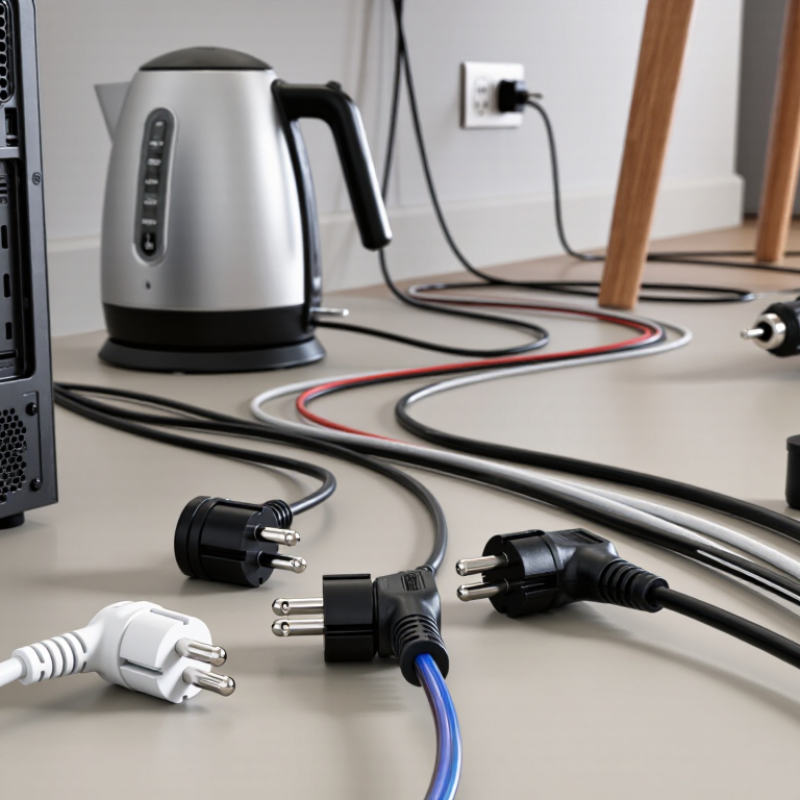
7 Tips for Choosing the Right Power Cord Cable

Identify the Equipment’s Power Requirements

Check the equipment’s label before selecting a power cord cable. Look for its voltage, current, wattage, and AC or DC requirement. These figures describe what the equipment needs, not what a cable can safely provide. The cable’s ratings should meet or exceed the equipment’s requirements. Labels can be confusing. If the manual and nameplate differ, pause and confirm the correct specification with the manufacturer or a qualified technician.

A frequent oversight is focusing on the plug while missing the electrical load. That shortcut deserves a second look. For example, a workshop tool may draw more current when its motor starts than during steady operation. Check the manual for starting or peak requirements, and allow for them when choosing a cable. Also verify the connector type, grounding, and polarity where applicable. Do not guess. A connector that fits may still be electrically unsuitable.

Consider the setting, too. A cord used near a warm appliance or in a dusty work area may need a rating suited to those conditions. Check its temperature and environmental markings, and avoid pinched or tightly coiled runs that can trap heat. I would recheck the figures before buying; even a clear label can be easy to misread. If any rating is missing or unclear, get qualified guidance rather than relying on appearance alone.

Match the Cable’s Voltage and Current Ratings

A power cord must match both the voltage and current demands of the equipment it serves. Check the appliance label and manual, then compare those figures with the cord’s printed ratings. Voltage describes the electrical pressure the cord is designed to handle; current, measured in amps, reflects how much electricity can flow safely. A cord with an unsuitable rating may overheat or fail. Don’t judge by thickness or appearance alone.

Tips: Read the full rating on the cord jacket, not just the plug. Choose a cord rated for at least the appliance’s required voltage and current. If the label lists watts instead of amps, use the manual or ask a qualified electrician to confirm the correct match. Guessing is not worth it.

Allow for real-world use, too. A heater or other high-power appliance can draw substantial current, while some motors briefly need more power when starting. Keep the cord fully uncoiled when the instructions require it, and avoid connecting several extension cords together. I’ve found that labels can be small and easy to misread, so take a clear photo and check the numbers twice. If the rating is missing, damaged, or unclear, replace the cord rather than assuming it is adequate.

7 Tips for Choosing the Right Power Cord Cable - Match the Cable’s Voltage and Current Ratings

Check that the cord’s voltage rating is at least as high as your system voltage, and that its current rating meets or exceeds the load’s current.

Reference: Representative copper-conductor ampacities from the 60°C column of NEC Table 310.16: 14 AWG—15 A, 12 AWG—20 A, 10 AWG—30 A, 8 AWG—40 A, and 6 AWG—55 A. These are building-wire reference values, not universal power-cord ratings. Actual cord capacity depends on its listing, construction, length, temperature, and conditions of use; follow the cord manufacturer’s rating and applicable electrical codes.

Select the Right Conductor Size and Material

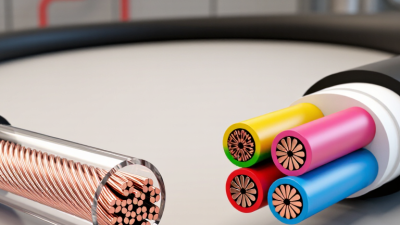
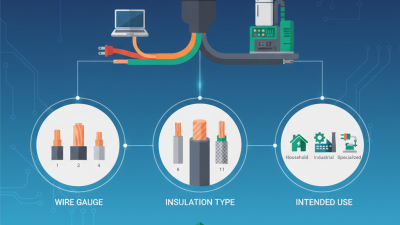
A cord’s conductor size affects current capacity, voltage drop, flexibility, and heat. Choose by the equipment’s current draw, cord length, and installation conditions—not by appearance alone. A thin, long cord can lose more voltage than a short, heavier one. Heat matters too: bundled cords or warm spaces can reduce safe current capacity.

Copper is widely used for flexible power cords because it conducts electricity efficiently and bends well. The International Annealed Copper Standard assigns pure annealed copper a conductivity value of 100% IACS; electrical-grade aluminum is commonly around 61%. That comparison is useful, but it does not determine the right cable by itself. Insulation temperature rating, strand construction, and the manufacturer’s current rating also matter.

Check the cable’s marked conductor area and current rating against the appliance instructions. IEC 60228:2004 lists maximum DC resistance for copper conductors at 20°C: 13.3 ohms per kilometer for 1.5 mm² flexible conductors, versus 7.98 ohms per kilometer for 2.5 mm². Lower resistance generally means less voltage drop for the same length and current. Length matters. I’d still verify the actual cord rating before choosing; a bigger conductor is not a substitute for checking the plug, insulation, and operating environment.

7 Tips for Choosing the Right Power Cord Cable - Select the Right Conductor Size and Material
Tip What to Check Practical Guidance and Data
1. Match the cord to the load Equipment current and voltage Check the equipment nameplate or manual for rated voltage and current. Select a cord and connectors rated for at least those values; do not estimate the load from appearance alone.
2. Choose an appropriate conductor size Wire gauge, conductor area, and applicable cord rating As a size reference, 18 AWG is about 0.82 mm², 16 AWG about 1.31 mm², 14 AWG about 2.08 mm², and 12 AWG about 3.31 mm². A larger conductor generally has lower resistance, but allowable current depends on the complete cord construction and applicable standards.
3. Account for cord length Voltage drop over the full circuit length Longer conductors create greater voltage drop. For example, copper 16 AWG has a resistance of approximately 13.2 Ω/km per conductor at 20°C. For a two-conductor circuit, calculate the path using both outgoing and return conductors, then confirm the result is suitable for the equipment.
4. Select the conductor material Conductivity, flexibility, and termination compatibility Copper is widely used in flexible power cords because it conducts electricity well and is suitable for flexible stranding. Aluminum is less common in flexible cords; use it only where the cord, terminals, and installation instructions specifically permit it.
5. Consider flexibility and movement Stranded or solid conductor construction For a cord that is frequently moved or bent, stranded conductors are generally more suitable than solid conductors. Choose a cord designed for its expected movement and follow its minimum bend-radius guidance.
6. Match the jacket to the environment Temperature, moisture, abrasion, oils, and outdoor exposure Check the cord’s marked temperature and environmental ratings. A cord used outdoors or in a wet, hot, oily, or abrasive location must have a construction and rating suitable for that specific exposure.
7. Verify the complete cord assembly Connectors, grounding, and local requirements Confirm that the plug, cord, and equipment connector are compatible and have suitable ratings. Where the equipment requires grounding, use a cord with the correct grounding conductor and connection. Follow applicable electrical codes and product instructions.

Note: Conductor size alone does not determine safe current capacity. Ratings vary with insulation, cord type, ambient temperature, installation conditions, and local standards. Use the cord manufacturer’s specifications and applicable electrical requirements for final selection.

Choose Insulation for the Operating Environment

Insulation should match the conditions around the cord, not just the appliance it powers. Check the expected temperature range, moisture, sunlight, oils, and contact with rough surfaces. Heat matters. A cord beside a heater may face warmer conditions than one across a cool office floor. Some PVC compounds can stiffen in cold weather, while other insulation types are designed for wider temperature ranges. Always compare the cord’s marked ratings with the equipment instructions.

For damp or outdoor locations, look for insulation and construction specifically rated for those conditions. “Water-resistant” does not mean suitable for immersion, and an indoor cord can crack or degrade when exposed to sunlight. Think about the route, too. A cable dragged over a gritty workshop floor needs tougher abrasion protection than one resting behind a desk. Small details like these are easy to overlook.

Chemical exposure deserves attention. Oils, cleaning fluids, and solvents can affect insulation differently, so check the manufacturer’s compatibility information rather than guessing by appearance. I used to treat a thick outer jacket as proof of durability; that was a shaky assumption. Thickness alone does not reveal temperature limits or chemical resistance. If conditions vary, choose a cord rated for the harshest expected exposure, and replace it if the jacket becomes brittle, swollen, or cracked.

Verify Connector Fit and Safety Certifications

Tip 1:
Match the connector before comparing price. Check its shape, pin count, and orientation against the equipment inlet. A plug can look right but sit loosely. With the device unplugged, inspect both ends in good light. Never force a connection. A small mismatch can damage the inlet or interrupt power.

Tip 2:
Compare the cable’s voltage and current ratings with the equipment label or manual. The cable should meet or exceed the stated requirements. Check for a safety certification mark recognized in your region, then confirm details through the certifying organization when possible. A printed mark alone may not tell the whole story. It is easy to miss that.

Tip 3:
Look for clear, intact markings and a sound outer jacket. Avoid cables with cracks, exposed wire, bent pins, or loose connectors. After connecting, the plug should feel secure, not strained. If it becomes unusually warm, stop using it and check the equipment guidance. When a rating is unclear, ask a qualified technician rather than guessing. I would not rely on appearance alone.